
How to set up online ordering for restaurants
In this guide, we'll show how to launch your commission-free online ordering website for your restaurant so that you'll be able to take online food orders (both pickup and delivery) directly from your customers.
Step 1: Create an online menu
Sign up with Menubly
Then follow this instruction, which will show you how to set up a online menu
Step 2: Turn on the "online ordering" mode
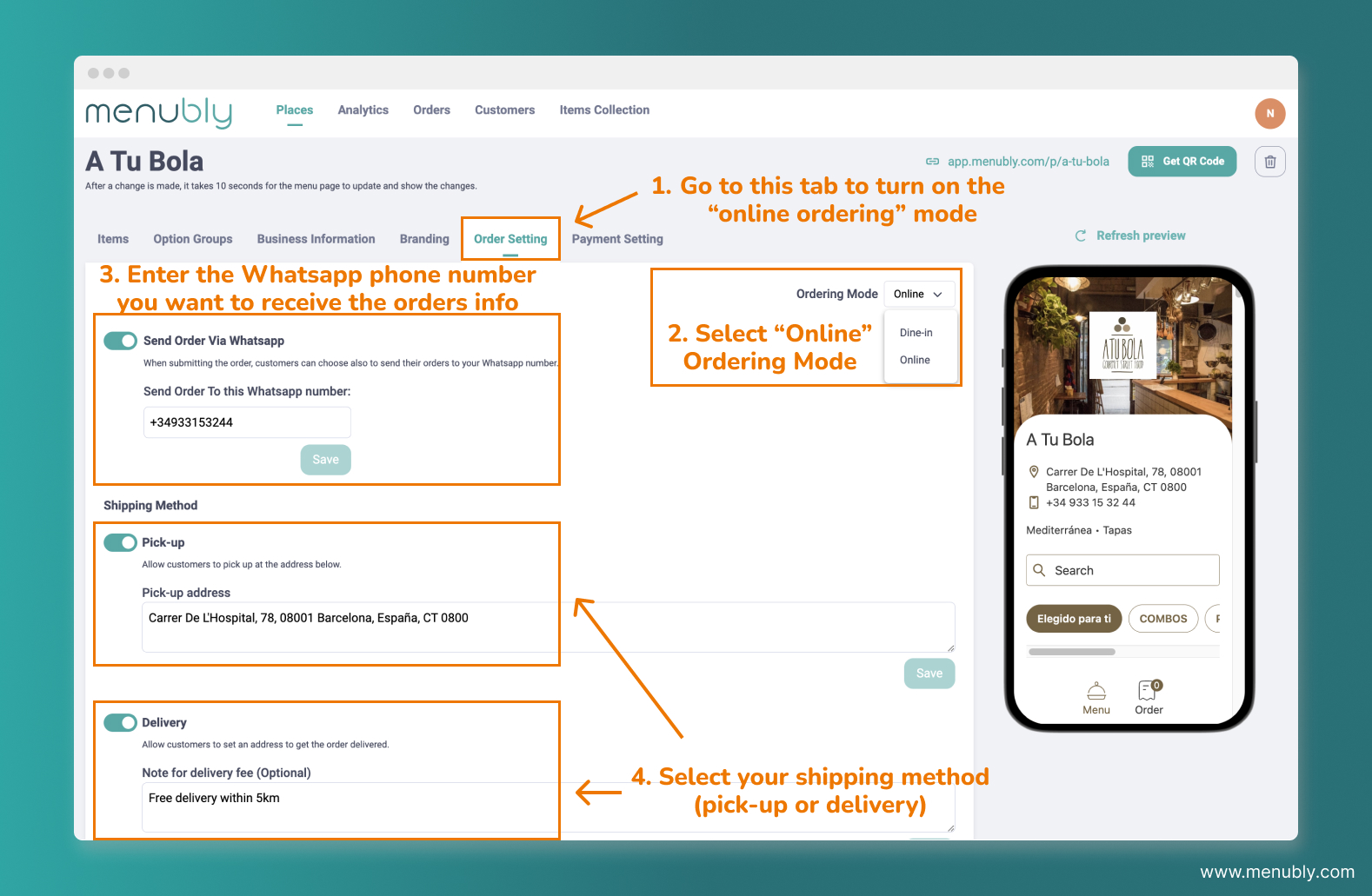
Once your menu is set up, now you have the option to turn on the "online ordering" mode to start accepting online orders.
Go to "Order Setting" tab
Select "Online" Ordering mode
Enter the Whatsapp phone number you want to receive the orders info, then click "Save"
Select your shipping method (pick-up or delivery), then enter the pick-up address or delivery note and click "Save"
Step 3: Add payment methods
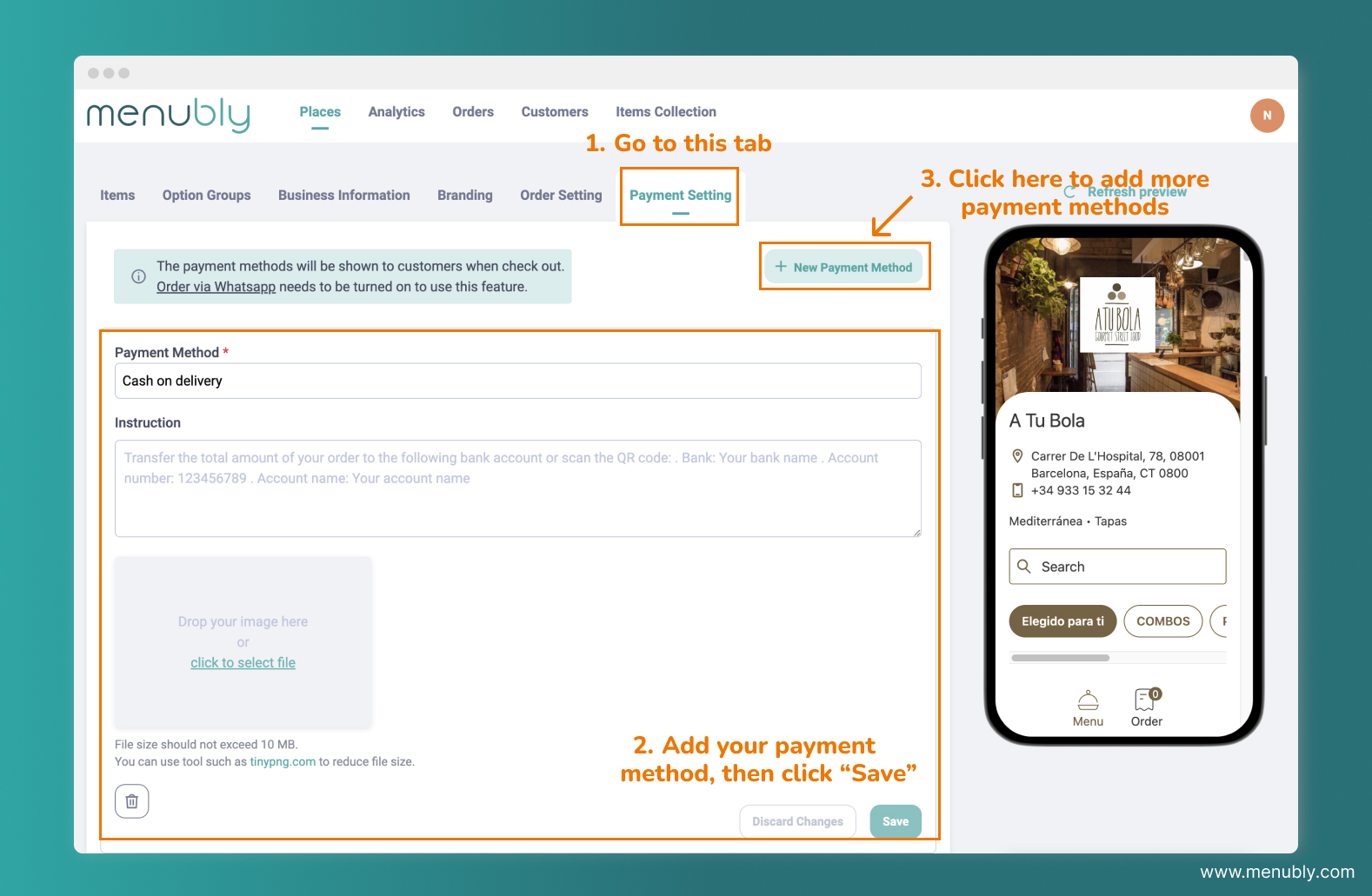
How would you want to accept payment? Cash on delivery or bank transfer? You can set this information up by:
Go to "Payment setting" tab
Add your payment method information, including:
Payment method: e.g. Cash on delivery, Bank transfer
Instruction: e.g. please transfer to this bank account XXXXXXX
Image: if you have an image (e.g. QR code for bank transfer), you can also upload it here.
Then click "Save"
If you want to add more payment methods, click "+ New Payment Method" on the top right corner