

How to connect Stripe with Menubly?
Follow the steps below to connect your Stripe account to Menubly and offer your customers more payment methods, including: credit/debit card, Google Pay, Apple Pay, Cash App Pay, and more than 100 different methods. If you would like to know the exact methods supported in your location, you can check on Stripe Payment list here.
Please note that, to do this setup, you should be the business owner or someone who has all information about the company including access to the business' bank account and legal documents. It's because Stripe will ask you some details about your business to comply with Know Your Customer obligations.
Step 1: Create account with Menubly for free from here, or if you already have an account with Menubly, login to your account from here.
Step 2: Go to Stripe Connect under Account, and click on Connect to Stripe button to go to Stripe platform and set up your Stripe account (which you will use to collect payment with Menubly).
Depends on your location, Stripe will ask you information accordingly.
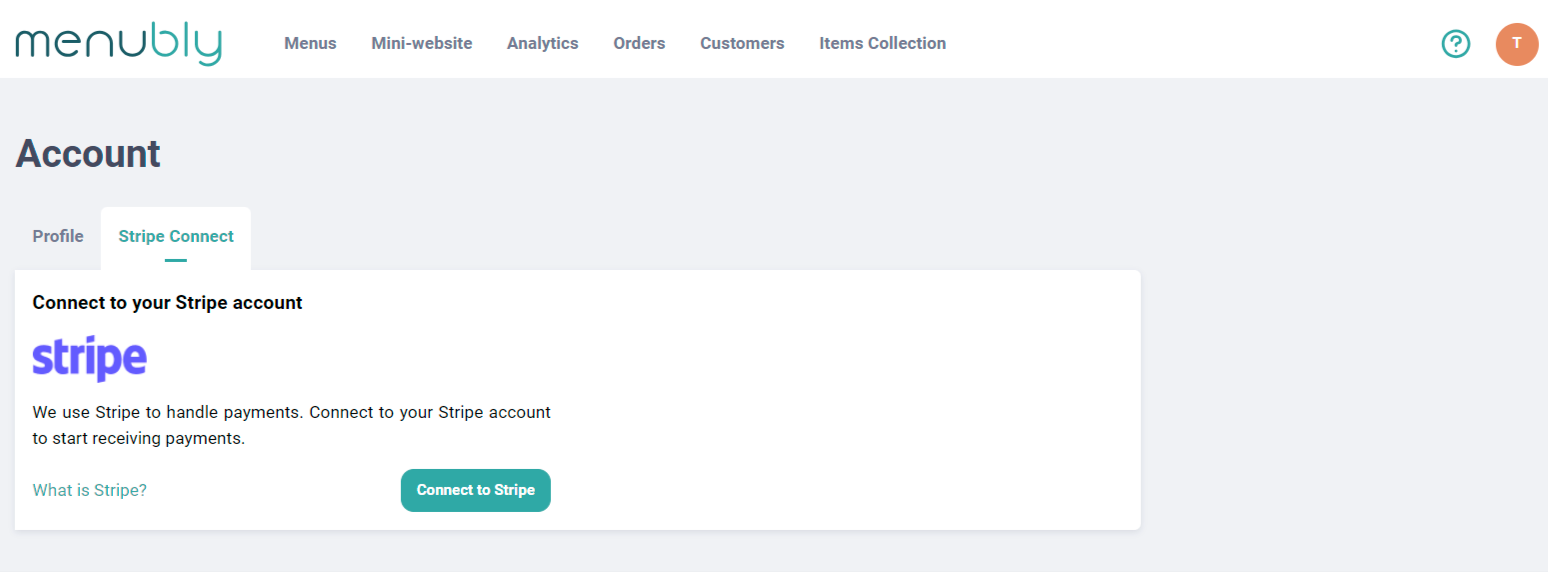
Step 3: Follow the steps on Stripe Onboarding then you will be redirected back to Menubly. When you get redirected back to Menubly, the following cases may happen:
- If you have set up and connected the Stripe account to Menubly successfully, you will be seeing this pop-up, you are ready to take payments from customers, go to Step 4 of this guide to continue:
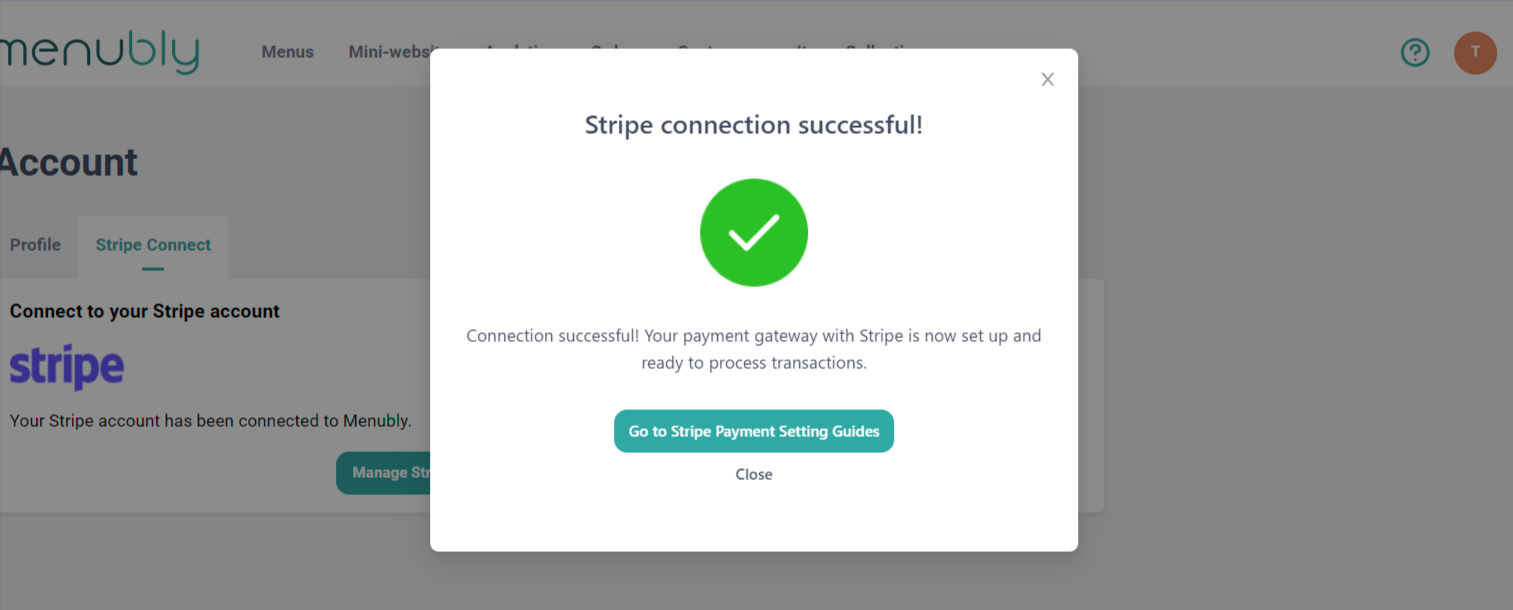
- If you have set up and connected the Stripe account to Menubly successfully, BUT Stripe still needs more information from you, you will be seeing this pop-up. You will need to click Finish Setting up Stripe button or go to Stripe Dashboard and complete the missing information:
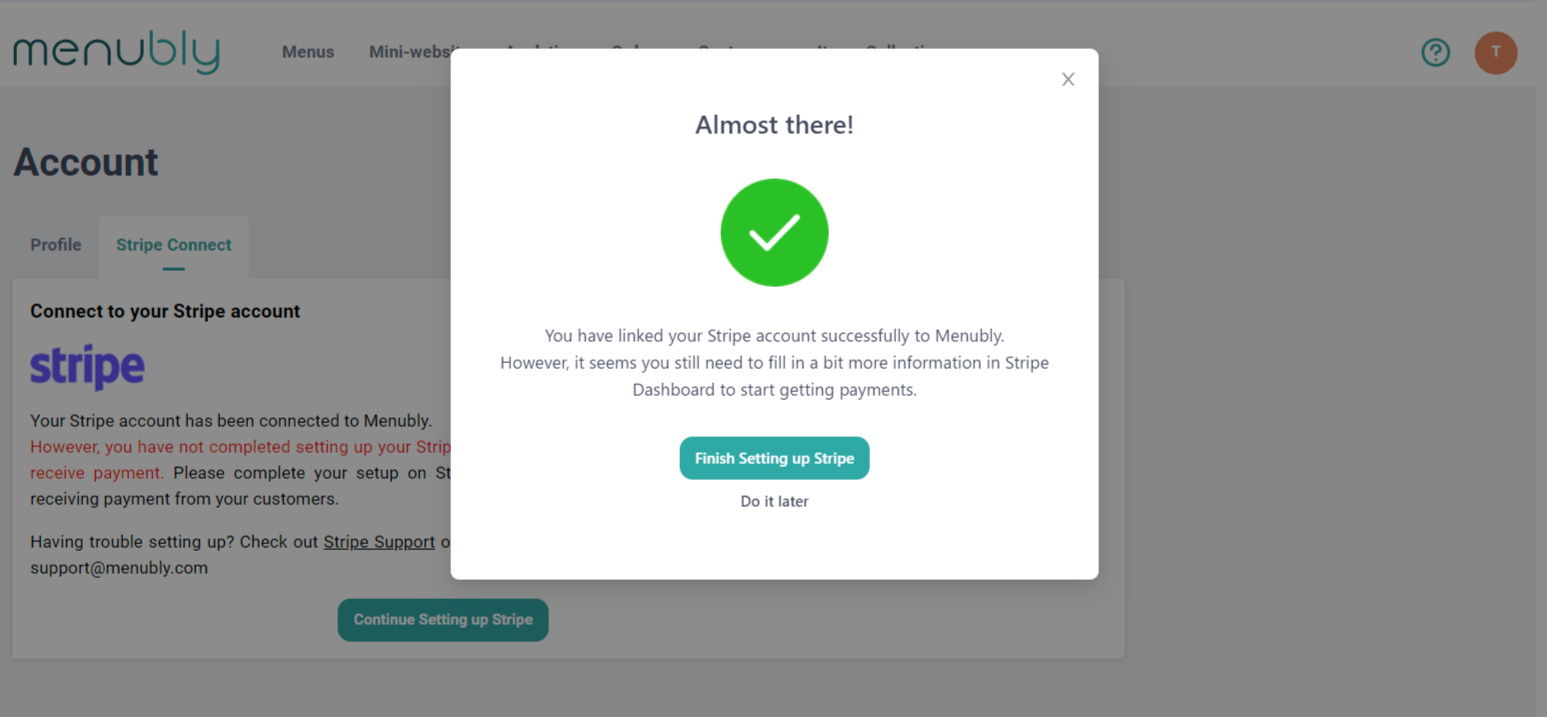
- If you have not completed setting up Stripe and Menubly unable to connect to it, you will be seeing this pop-up. You can click Try Again button to continue setting up:
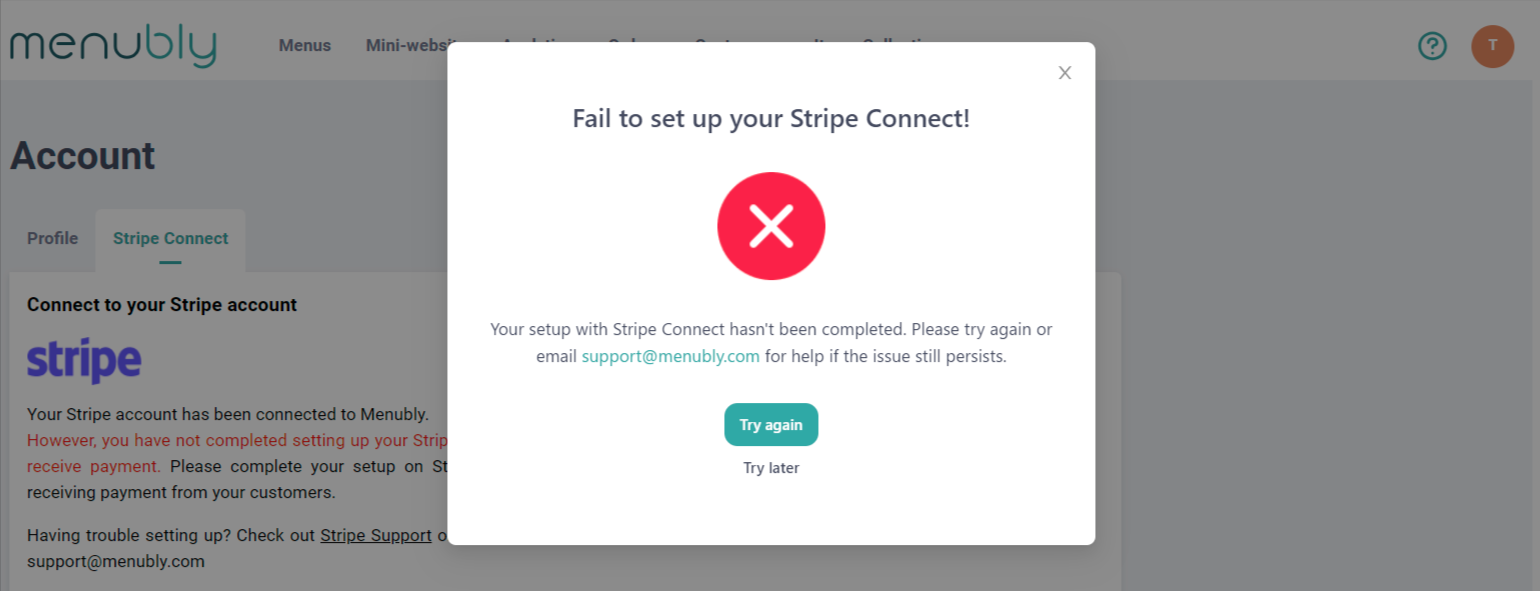
Step 4: Now that you have connected your Stripe account to Menubly, you can enable Stripe payments on your menu. Check out this guide for the details.